Listing interior (6K–8K JPEG)
Input
7680×3840 JPEG from a Theta or Insta360Output
Walk the room—corners, windows, stagingConfirm horizon and exposure before you send the file to a tour host.
Open a 360 photo and drag to look around. Your file stays on this device — it is never uploaded.
Loading tool…
The same sample file two ways: the flat 2:1 unwrap on the left, and a look-around view with the viewer controls on the right.
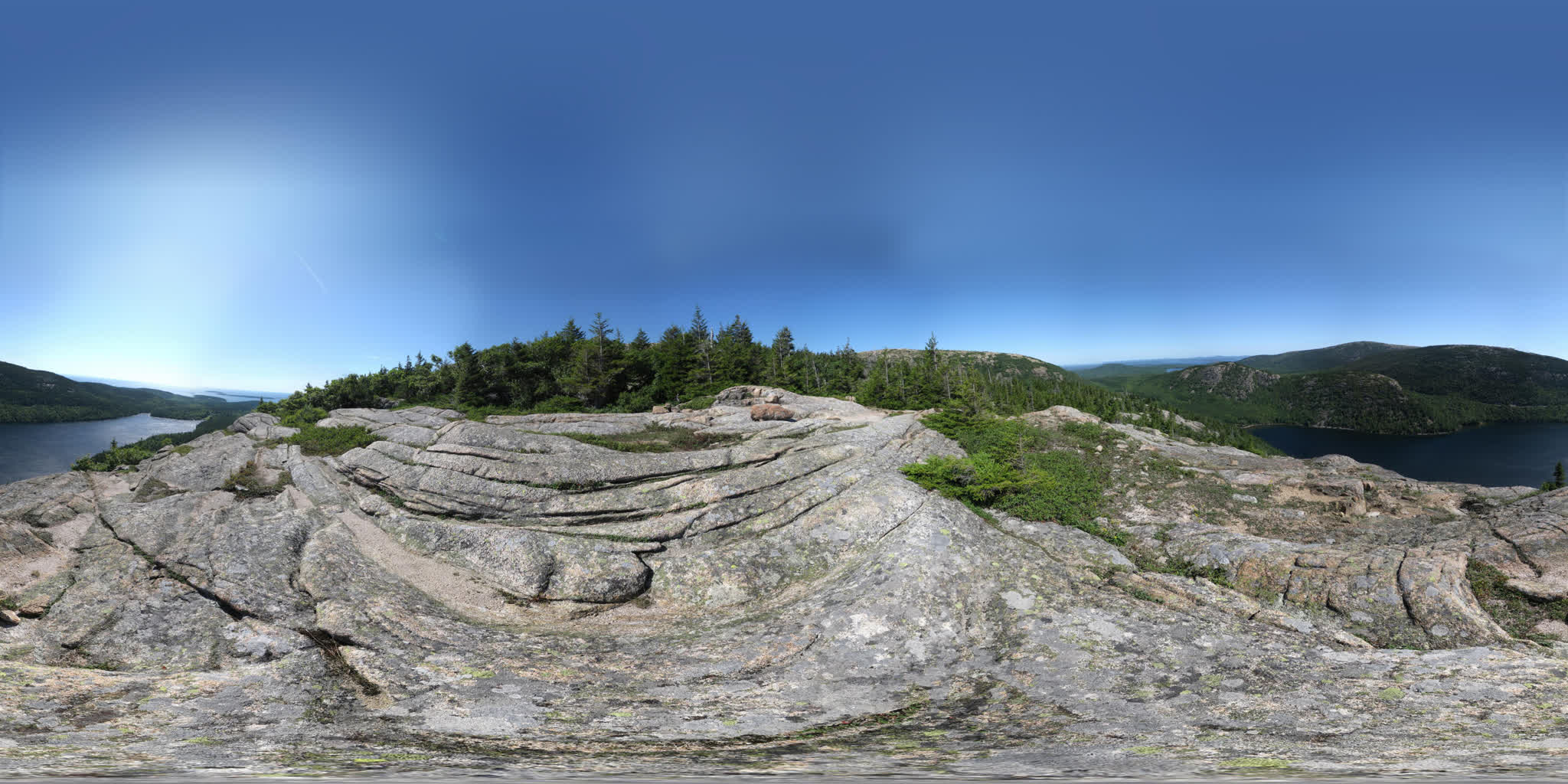
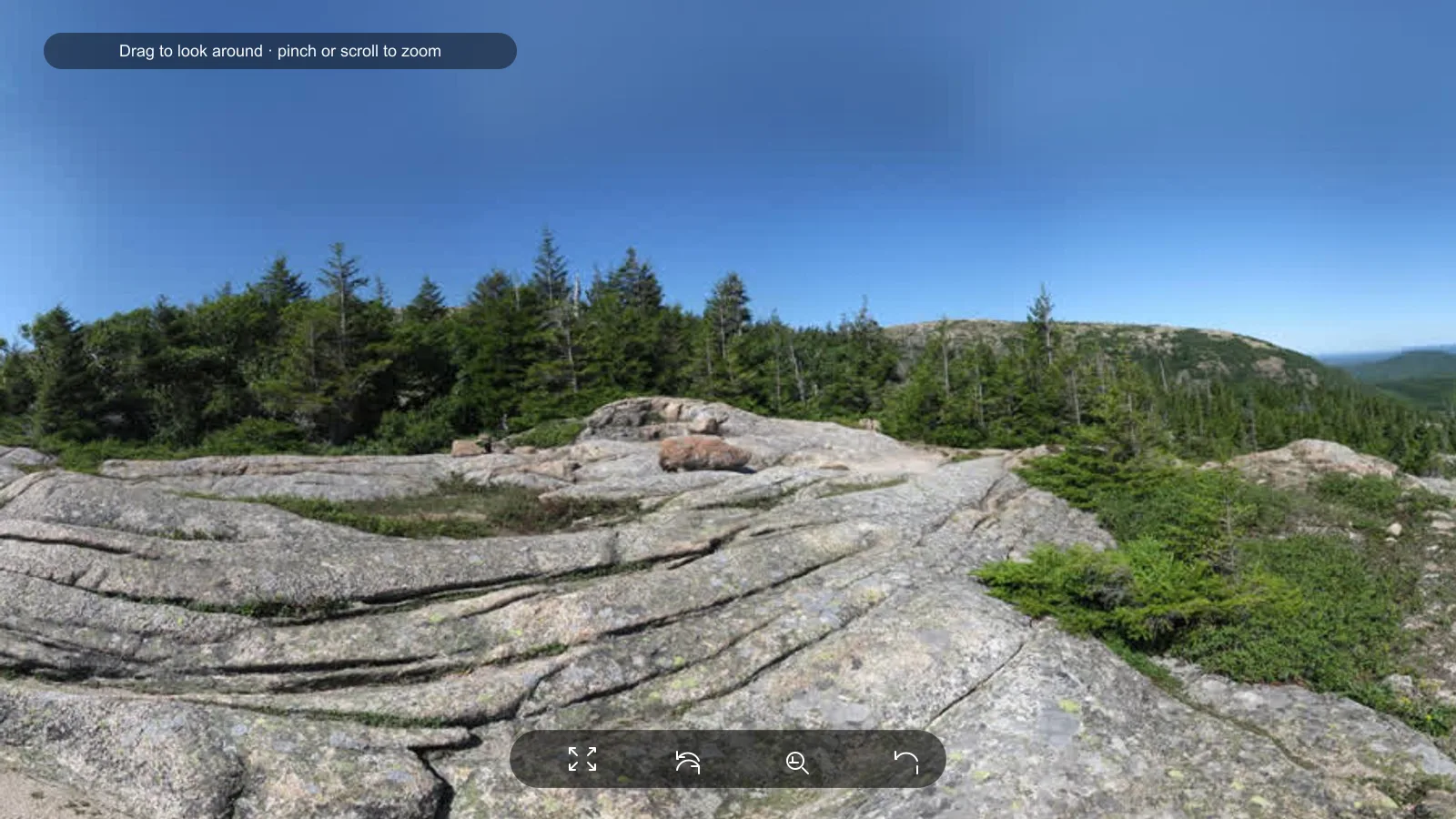
A 360 image viewer lets you open one spherical photo and drag to look left, right, up, and down—in the browser, without an app.
A 360 photo is a still of everything around the camera. Most cameras save it as a wide rectangle about twice as wide as it is tall. In Photos or Preview that file looks warped. This page wraps the same file on a sphere so the scene looks normal when you drag.
Open JPEG, PNG, WebP, or AVIF stills up to 40 MB from Insta360, Ricoh Theta, GoPro MAX, or a Photo Sphere export. Convert HEIC first.
This is a local still viewer. It does not play video, stitch raw fisheye shots, or host a public tour.
If you have one stretched 2:1 photo from a 360 camera, open it here. A video or a 3D model file belongs somewhere else.
Drag a JPEG, PNG, WebP, or AVIF onto the drop zone, or choose Open your 360 photo. Use the sample if you want to try the controls first.
Drag or swipe inside the viewer. On a keyboard, click the viewer, then use the arrow keys.
Scroll, pinch, or press + / −. Reset returns to the starting view.
Toolbar or F. Auto-rotate is optional. Escape leaves fullscreen.
Real-estate and interiors
Look around locally. Hosts rarely fix a tilted horizon or a stitch seam.
360 photographers
Flat thumbnails hide problems the sphere makes obvious.
Travel and photosphere shots
Open Photo Sphere JPEGs without installing the camera app.
Private interiors
Your chosen file is not sent to EverydayTools.
Input
7680×3840 JPEG from a Theta or Insta360Output
Walk the room—corners, windows, stagingConfirm horizon and exposure before you send the file to a tour host.
Input
4096×2048 JPEG from Google Camera Photo SphereOutput
Look around the location instead of guessing from a thumbnailGoogle called these photospheres. They are the same kind of 2:1 still.
Input
6000×2000 (3:1) stitchOutput
Loads with a warning; the sphere may look pinchedRe-export a spherical 2:1 still from the camera app.
It looks stretched because the file is an unwrap of a globe, not a normal photo. The camera stored the full surroundings as a flat rectangle: left-to-right is a full turn, top-to-bottom is sky to ground. The sky and floor get pulled into the top and bottom edges, so a gallery app shows a warped strip.
That file is still correct. This viewer puts it back on a sphere. You sit in the middle and drag to look around. Scroll or pinch changes how close the scene feels.
A true 360 still is about twice as wide as it is tall (2:1)—for example 6000×3000. A wide hiking “pano” that is 3:1 or 4:1 can still open, but you will see a warning because it is not a full sphere.
These words overlap. This page is for one full spherical still—not a wide strip and not a video.
| Term | What people usually mean | Open it here? |
|---|---|---|
| 360 photo / 360 image | A still of the full surroundings | Yes, if it is a 2:1 still |
| Photosphere | Google’s name for the same kind of still | Yes |
| Equirectangular image | The common 2:1 file layout those stills use | Yes |
| Panorama | Sometimes a full sphere, often only a wide strip | Only if it is about 2:1 |
| This viewer | Photos / Preview / a flat gallery | |
|---|---|---|
| What you see | Look around a sphere | A warped rectangle |
| 2:1 360 JPEG | Wraps correctly | Sky and floor look stretched |
| Room layout | Easy to judge | Hard to read |
| Your file | Stays on this device | Often uploaded to a cloud library |
Use the finished still the official app already makes. We do not claim every camera model or every export mode.
| Source | Open this | Skip this |
|---|---|---|
| Insta360 | Equirectangular JPEG / PNG / WebP from the app | Insv project, 360 video |
| Ricoh Theta | Standard spherical JPEG | Theta app projects |
| GoPro MAX | Spherical / equirectangular still | Reframe video |
| Google Photo Sphere | 2:1 JPEG photosphere | Street View publish flow |
| iPhone | JPEG after converting HEIC | HEIC or Live Photo |
Cubemap faces must be one 2:1 still first. This viewer does not read GPano / XMP tags—it uses the pixels and a 2:1 size check.
| Pixels | Typical use |
|---|---|
| 4096×2048 | Phone preview, social |
| 6000×3000 | Most listing and travel stills |
| 7680×3840 | High-detail interiors (may downscale on a small GPU) |
In the Insta360 app, export an equirectangular JPEG (or PNG/WebP). Do not drop the .insv project or a 360 video here.
Theta stills are usually a standard 2:1 JPEG. Open that file here. You do not need the Theta desktop project.
Export the spherical / equirectangular still. Reframe clips and 360 video will not load.
Google Camera Photo Sphere JPEGs open as-is. iPhone HEIC needs a JPEG, PNG, WebP, or AVIF copy first.
Open it here. Pole stretch in a flat app is normal.
Export one equirectangular still from the camera app, then open that still.
Convert to JPEG, PNG, WebP, or AVIF first.
Meshes belong in the 3D Model Viewer.
Likely cause: The still is not about 2:1, or it is a cylindrical pano.
Fix: Re-export a spherical 2:1 still (for example 6000×3000).
Likely cause: Width is not close to twice the height.
Fix: Check export settings in Theta, Insta360, GoPro, or Photo Sphere.
Likely cause: Hardware acceleration off, or a corrupt file.
Fix: Try Chrome or Firefox with GPU acceleration. A flat unwrap preview is offered if WebGL fails.
Likely cause: GPU memory on the device.
Fix: The viewer may downscale. Use a 4K or 6K copy for review.
This page displays stills only. Export a frame or use a 360 video player.
Export a finished 2:1 still from the camera app or a stitcher, then open that file here.
This is a local preview. It does not create share links or iframes.
Use the 3D Model Viewer for GLB, GLTF, STL, and OBJ.
Continue the workflow with the right follow-up tool.
Advertisement
Open this page, drop a 360 JPEG (or PNG, WebP, AVIF), then drag inside the viewer. No app or account. The file is read on your device.
Yes—export an equirectangular still from the Insta360 app or Theta software, then open that JPEG, PNG, or WebP here. Project files and 360 video will not load.
JPEG, PNG, WebP, and AVIF up to 40 MB. Convert iPhone HEIC to JPEG first. Cubemaps need to be a single 2:1 still.
A flat gallery shows the unwrapped sphere, so the sky and floor look warped. That is expected. Open the same file here to look around the scene.
No. This page is for still photos only.
No. This viewer uses the image pixels and a 2:1 size check. It does not read GPano or XMP tags. Those tags matter for Facebook, Instagram, or Google Photos—not for looking around the file here.
No. A file you choose is read locally and drawn with WebGL in this tab. EverydayTools does not receive it. Closing the tab discards the preview. The optional sample photo is loaded from this website.
Yes, in a current mobile browser. Swipe to look around, pinch to zoom. Convert HEIC to JPEG on iPhone first.
Yes. No signup, watermark, or view limit.
A photo you select is not uploaded to EverydayTools. The browser creates a local object URL and WebGL draws it on your GPU. No account is required.
Wrap quality depends on a true 2:1 spherical export. GPU and browser limits may reduce texture size on very large files.
Choosing a file maps it onto a sphere in this tab. The built-in sample is fetched from everydaytools.pro; your own file never leaves the device for viewing.
Open the sample, drag to confirm the view rotates, then try a 2:1 JPEG and check that width is about twice the height.
Limitations: Stills only. No stitcher, no tour host, no 360 video, no numbered product-frame spinner.
A local preview is not a hosted virtual tour or a headset VR app.
Advertisement
Reviewed by EverydayTools Editorial Team on 2026-09-11.
Same workflow or intent — pick the next step without leaving the site.
Convert a GLB, STL, or OBJ to PNG or JPG in your browser. Transparent PNG and square thumbnails. The file never leaves this device.
Drop a GLB, GLTF, STL, or OBJ into your browser. Orbit, wireframe, lighting, and mesh stats—free, no install, no signup. Your file never leaves this device.
Free browser-based GLSL shader editor — write fragment and vertex shaders with real-time WebGL rendering. Includes u_time, u_resolution, and u_mouse uniforms for animated and interactive effects. Syntax highlighting, error console, and built-in examples. No install required. Runs locally in your browser when supported—no upload required for normal use.
Frequently opened tools from the same category.
Open GLB, GLTF, STL, or OBJ in your browser. Orbit, wireframe, lighting, and mesh stats. Free — no install, no signup. The file never leaves this device.
Convert a GLB, STL, or OBJ to PNG or JPG in your browser. Transparent PNG and square thumbnails. The file never leaves this device.
Free browser-based GLSL shader editor — write fragment and vertex shaders with real-time WebGL rendering. Includes u_time, u_resolution, and u_mouse uniforms for animated and interactive effects. Syntax highlighting, error console, and built-in examples. No install required. Runs locally in your browser when supported—no upload required for normal use.
Cross-category tools others open in the same session.
What is 20% of 500? Percent increase, decrease, difference, reverse %, markup & margin—runs locally in your browser, no upload. Copy results or share a link.
Free JSON formatter — paste minified or messy JSON and instantly get beautified, indented output with syntax highlighting and error detection. Browser-based, no server upload. Runs locally in your browser when supported—no upload required for normal use.
Free word counter — live word, sentence, and paragraph counts plus reading time for essays, blogs, and SEO drafts. Runs locally in your browser.
Free adult BMI from height and weight (lb/ft/in or kg/cm). CDC category, healthy weight range, optional waist. Screening only—runs in your browser.
Browse full tool collections by topic.
Open a 360 photo
Drag and drop, or choose a file. It is processed in this browser — not sent to our servers.